
# Audit log history archiver
FWCloud can move old audit log entries out of the live database and keep them as archive files. This helps keep the active audit log table smaller while preserving the historical information.
Open the configuration window and select the Audit log history archiver section.
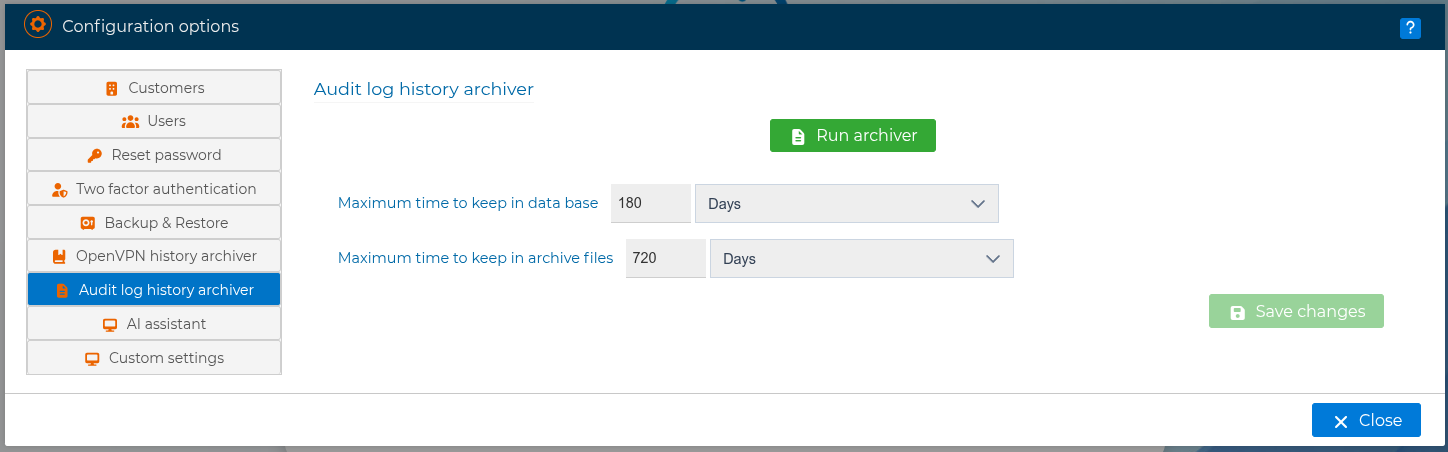
In this form you can configure:
Maximum time to keep in data base: number of days that audit log entries remain in the live database before being archived.Maximum time to keep in archive files: number of days that the generated archive files are kept on disk.
The values can be defined in days, months, or years. The archive retention period must always be greater than or equal to the period kept in the database.
After changing these options, save the configuration. FWCloud will use the new values for future archive and retention tasks.
You can also run the process immediately by pressing Run archiver. The operation is executed in the background and a progress window is displayed while the archive is being generated.
During the process, FWCloud looks for audit log entries older than the configured database retention period, writes them to compressed SQL archive files, and removes the archived entries from the live database. Archive files are organized by year and month under the audit log archive directory configured on the server.
Only one audit log archiver can run at a time. If another archive process is already running, FWCloud displays an error and does not start a second one.
By default, FWCloud keeps audit log entries in the database for 180 days and keeps archive files for 720 days.